 CamerAcademy
01
Set up
Claude Code installed on your computer, Mac or Windows, and signed in. I explain the terminal in plain English. It looks scary and it isn't.
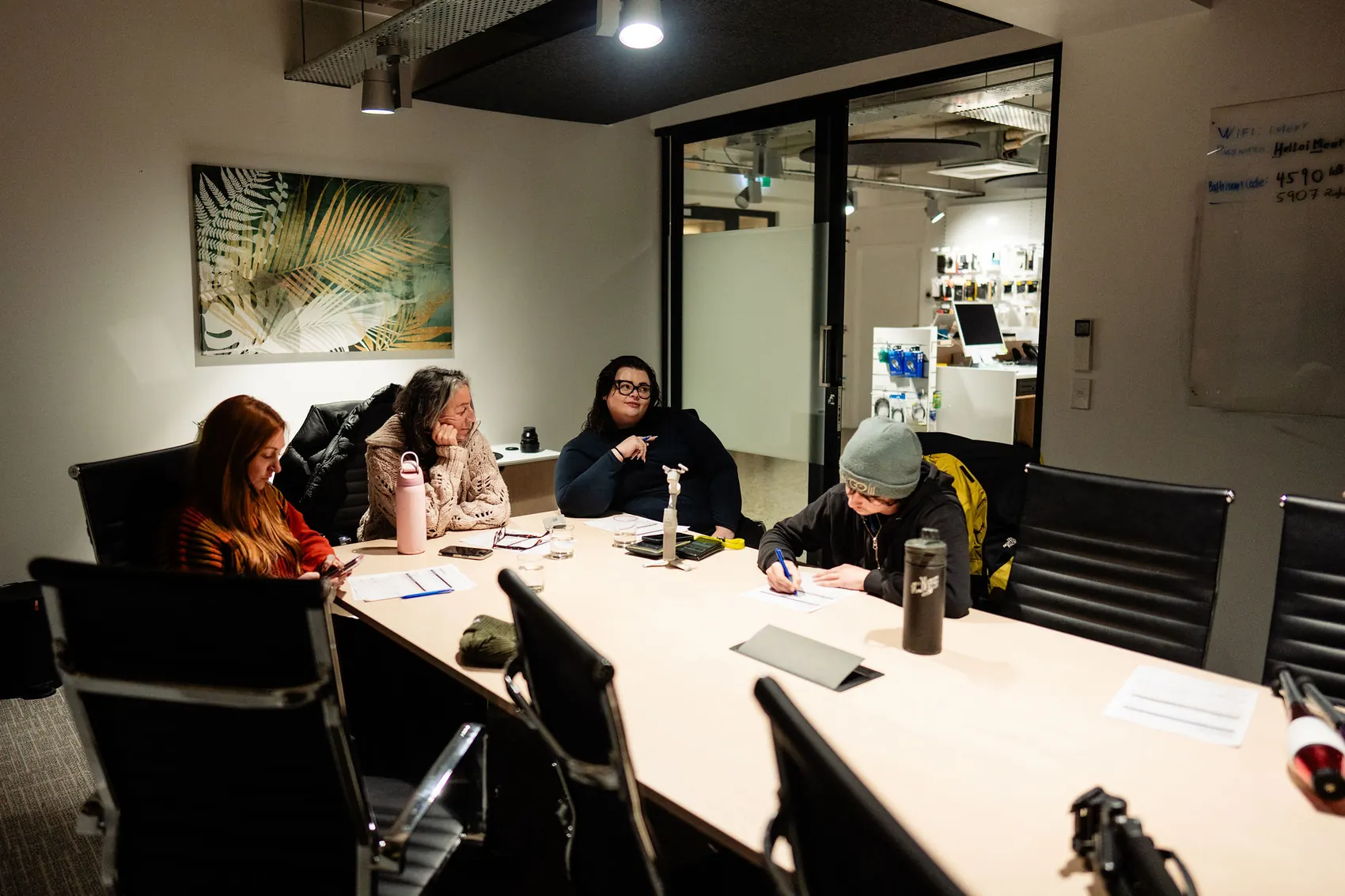
I set Claude Code up on your computer, then we use it on the jobs eating your week: your website, your bookings, your admin.
Everyone has been told to use AI. Most people have tried a chat window, copied something out of it, and gone back to doing it all by hand.
This is different. Claude Code works directly in your files and your accounts. You tell it the job in plain English, it does the job, and you check it.
I use it every day to run CamerAcademy and FanCast: this website, our bookings, our emails, our class materials. So I'm not teaching from a slide. I'm showing you what I actually do, on your business.
Both finish with real work done on your business, not notes about what you could do later.
Hour one, Claude Code installed and running on your computer, Mac or Windows. Hour two, we build one real thing for your business, so you're using it straight away.
The setup, then we work down your list together. This is what we did at Pure Senses in Cromwell.
No slides about the future of AI. We spend the time on your computer, on your business.
Claude Code installed on your computer, Mac or Windows, and signed in. I explain the terminal in plain English. It looks scary and it isn't.
Git and GitHub set up alongside it, so every change is saved and any of them can be rolled back.
In the first five minutes we pick one real job from your list: the thing costing you bookings or eating your evenings.
Claude does the work and asks before it changes anything. You check each change before it goes live. Then the next job.
In October I spent half a day with the owner of Pure Senses, the wellness centre at Mount Pisa near Cromwell. We installed Claude Code on his computer, fixed the Pure Senses website, set up the online sauna bookings, put the sauna heaters on a schedule and automated the admin around them. In the same afternoon we built a new website for his other business, F1 Super Boat, and fixed the site for The Reset Studio, the head spa inside Pure Senses.
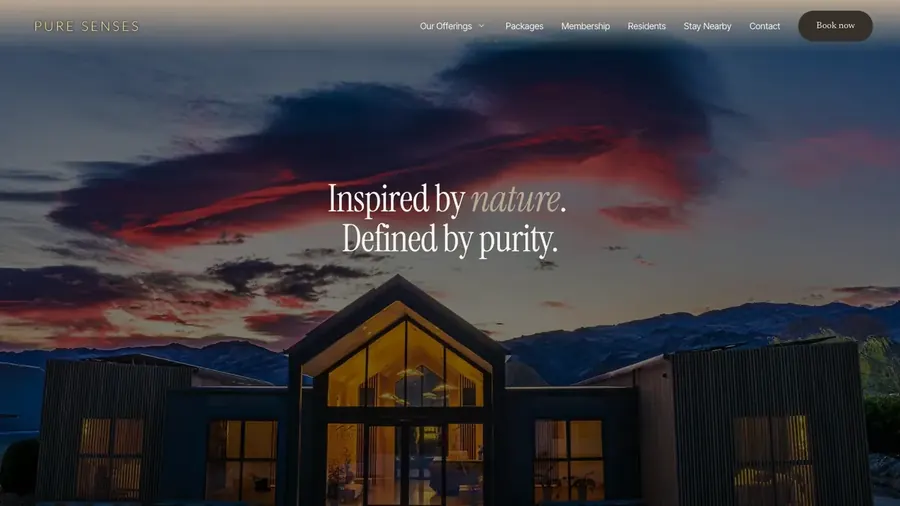
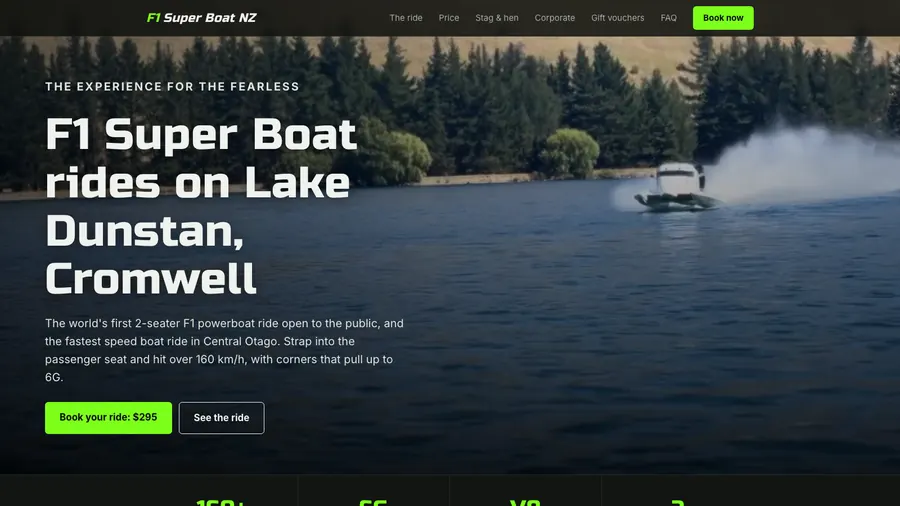
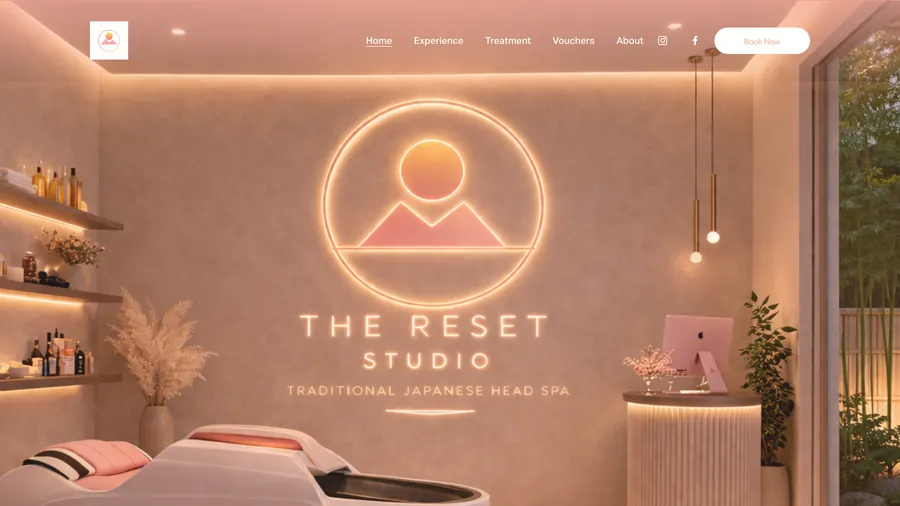
Everything I teach in this session is something I use every week at CamerAcademy and FanCast Productions.
cameracademy.com is designed, built and kept up to date with Claude Code: the class pages, this blog, the contact form and the pay-now links.
Content Training students get an app on their phone with the course method, their weekly uploads and my feedback. Built the same way.
Slide decks and printable workbooks for every week of the courses, written by me and laid out with Claude.
Tools that plug into Premiere Pro, from rough cuts to animated captions, so the slow parts of an edit run themselves.
Each week a draft blog post and the week's social posts are written for me to review. Nothing goes out until I've read it.
Email campaigns, lead lists and client proposals, built from templates in my own voice, ready for me to check and send.
Good jobs to bring: website fixes and new pages, online booking setup, booking confirmations and reminders, weekly content drafts, quotes and proposals from a template, and the spreadsheet you update by hand every Friday.
Installed, signed in and connected to your accounts. Yours, not mine.
The website, bookings or admin we fixed in the session, live before I leave.
The jobs we didn't get to, written down in the order worth doing them, so you know where to start tomorrow.
How to describe a job so it gets done right, and how to check the work before it goes anywhere.
Wellness, hospitality, tourism, trades, retail. If you own the website and the to-do list, this is for you. You don't need to be technical.
It depends on the format and what you want fixed, so I'd rather give you a real number than a range. Tell me what you're working with on a quick call and you'll have a figure the same day.
No. If you can use email and a website builder, you can do this. I do the setup with you and explain each step as we go.
Claude Code isn't included in the free Claude plan. Set up a paid account before the session and we'll sign in to it together.
Yes. Pure Senses runs on Squarespace with Acuity bookings and The Reset Studio uses Timely. We work with whatever you already have.
A chat window gives you text to copy and paste somewhere else. Claude Code works directly in your files and accounts, so it can make the change itself, and you check it.
It asks before it changes anything, and you check each change before it goes live. Where your site lives in code, GitHub keeps every version, so anything can be rolled back.
You keep going on your own, starting with the list of jobs we didn't get to. If you get stuck, email me.
Yes. My production company, FanCast Productions, does it as a service. See AI business automation.
Yes. Bring whoever does the admin. Anyone who'll use it should have it installed on their own computer. For content and camera training for a whole team, see Corporate.
A free 15 minute chat, no pitch. Tell me the jobs you're doing by hand and I'll tell you what half a day would fix.
Book a free chat